
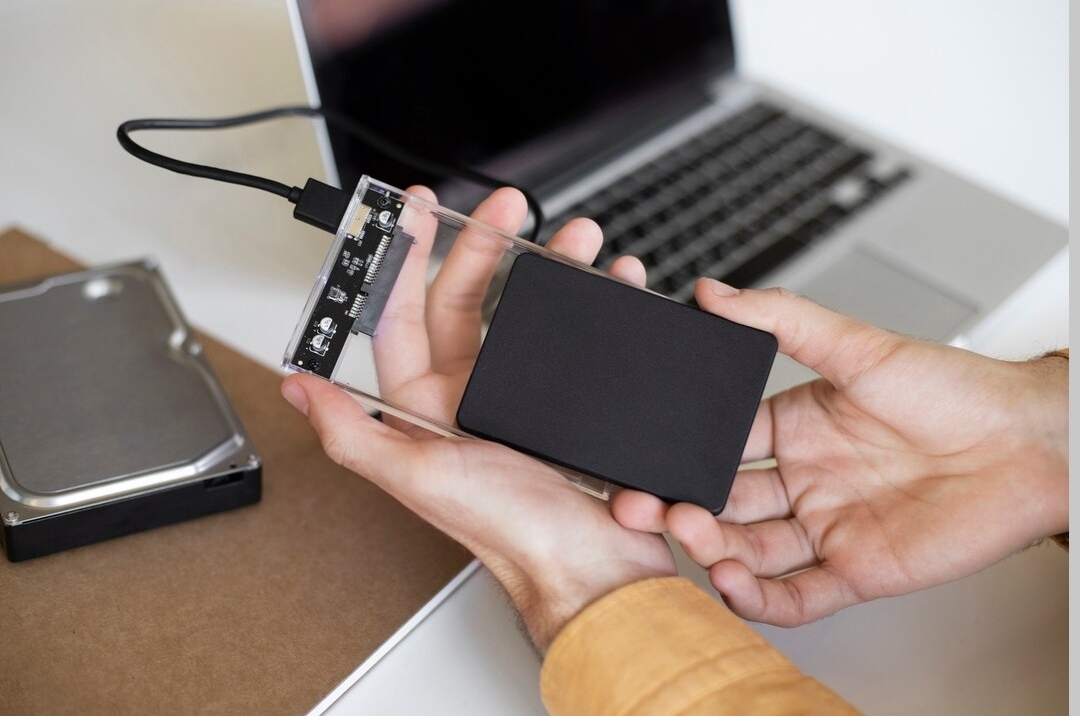
If you want a fast and reliable way to store and transfer large files, an external ssd is one of the best options. Unlike traditional hard drives, SSDs offer greater speed, durability, and efficiency, making them ideal for professionals, gamers, and everyday users seeking better performance.
With so many models available on the market, selecting the right SSD can be overwhelming. This guide will help you find the top external SSD that balances speed, storage, and reliability for your needs.
Why Choose an External SSD
Choosing an external SSD comes with several key advantages over traditional hard drives (HDDs):
- Faster Speed: SSDs offer much quicker file transfers, faster program loading, and near-instant access to your data.
- Durability: With no moving parts, SSDs are more resistant to shocks, drops, and vibrations, reducing the risk of failure.
- Portability: Compact and lightweight, SSDs are easy to carry for work, school, or travel.
- Energy Efficiency: SSDs consume less power than traditional hard drives, helping to extend laptop battery life.
- Reliable Performance: Consistent read/write speeds and minimal mechanical risk make SSDs a dependable option for storing important files.
An external SSD is the ideal choice for anyone who wants fast, reliable, and durable storage that keeps data safe while simplifying file management.
an SSD that’s fast, reliable, and secure.
Top 5 Best External SSD Choices
Top 1: ADATA SC730
Compact, lightweight, and eco-friendly (50% recycled plastic). Speeds up to 600 MB/s, storage up to 1TB. Ideal for students or professionals needing portable, everyday storage for documents, photos, and essential files.
Top 2: SanDisk Pro-G40
High-speed and rugged SSD with speeds up to 2,800 MB/s. Dustproof, waterproof, and shock-resistant. Perfect for creative professionals handling large media files.
Top 3: Samsung T9
Fast and shock-resistant SSD with speeds up to 2,000 MB/s and 1TB–4TB storage. Ideal for professionals and content creators needing reliable media storage on the go.
Top 4: Crucial X9
Slim, affordable, and reliable SSD with speeds up to 1,050 MB/s and capacities from 500GB to 2TB. Great for everyday use, backups, school projects, or general storage on a budget.
Top 5: SanDisk Extreme PRO (SDSSDE)
Rugged and durable SSD with 1TB–2TB storage and speeds up to 2,000 MB/s. Features IP55 water and dust resistance plus a shockproof design, making it ideal for fieldworkers, photographers, and outdoor professionals who need reliable, travel-ready storage.
Each SSD serves different needs: from portable and budget-friendly options to high-speed professional storage and rugged outdoor use. Choose based on speed, capacity, durability, and your budget.
How to Choose the Right External SSD for Your Needs
Selecting the right external SSD depends on a combination of storage needs, speed, compatibility, budget, and extra features. Here’s a breakdown:
- Storage Capacity
The first factor is how much storage you actually need, which depends on your typical usage:
- Basic users: For basic users who mainly store documents, spreadsheets, and photos, a 250GB–500GB SSD is usually sufficient.
- Media-heavy users: For storing large video files, music libraries, or editing high-resolution photos, 500GB–1TB offers a good balance.
- Professional users: Video editors, developers, or gamers who handle large project files will benefit from 1TB or more to avoid running out of space frequently.
Tip: Plan for future growth by choosing slightly more storage than you currently need.
- Interface and Compatibility
The interface determines the SSD’s transfer speed and how well it works with your laptop:
- USB 3.2 Gen2: Offers excellent speed for most everyday tasks and general storage.
- Thunderbolt 3: Provides ultra-fast transfer rates (up to 40 Gbps) for professionals working with large files or 4K/8K video editing.
- Compatibility check
Make sure your laptop supports the SSD’s interface.
- MacBook Pro users with Thunderbolt ports will get maximum speed using Thunderbolt SSDs.
- Windows laptops usually perform well with USB 3.2 Gen2 SSDs.
- Price and Budget
External SSD prices vary widely:
- USB SSDs are generally more affordable and sufficient for most users.
- Thunderbolt SSDs are more expensive but provide ultra-fast file transfers, making them ideal for professional use.
- Advice: 1TB USB 3.2 Gen2 is fast enough for most daily tasks. Choose a drive that fits both your speed and storage needs without overspending.
- Additional Features
Consider features that improve usability, durability, and security:
- Rugged design: Waterproof, dustproof, or shock-resistant SSDs are ideal for travel or outdoor work.
- Hardware encryption: Keeps data safe even if the SSD is lost or stolen.
- Portability: Smaller, lightweight drives are easier to carry around if you’re frequently on the move.
Tips for Optimal Use of Your External SSD
To ensure your SSD delivers top performance, durability, and reliability, follow these practical tips:
- Proper Setup
Set up your SSD correctly by using the right cable and port, formatting for your system, and partitioning to organize files.
- Organize Your Data
Keep your SSD organized by creating separate folders for different file types and avoiding unnecessary heavy write tasks. Maintaining 10–20% free space ensures faster performance and helps extend the drive’s lifespan.
- Use Efficiently
Use your SSD efficiently by storing frequently used files on it for fast access, moving less important files to other drives or the cloud, and backing up important data for security.
- Maintain Performance
Maintain your SSD’s performance by safely ejecting it, minimizing unnecessary writes, keeping it cool, and regularly updating its drivers.
- Protect Your SSD
Protect your SSD by using encryption or passwords to secure your files and choosing a rugged design with shock, water, and dust resistance for safe use outdoors or during travel.
Following these tips will keep your external SSD fast, reliable, secure, and long-lasting. Proper setup, usage, and maintenance maximize both performance and lifespan.
Conclusion: External SSD
External SSDs are an excellent choice for anyone who needs fast, reliable, and durable storage. They outperform traditional hard drives in speed, portability, energy efficiency, and resistance to shocks and drops. Whether you’re a student, professional, gamer, or content creator, an SSD provides quick access to files, smooth backups, and reliable performance on the go.
The best external SSD depends on your needs: compact and eco-friendly models like the ADATA SC730 are great for everyday use, high-speed drives like the SanDisk Pro-G40 and Samsung T9 suit creative professionals, budget-friendly options like Crucial X9 are ideal for general storage, and rugged drives like the SanDisk Extreme PRO are perfect for outdoor work or travel.
When choosing an SSD, consider storage capacity, speed, interface compatibility, budget, and extra features like ruggedness or hardware encryption. Proper setup, organizing data, using the drive efficiently, maintaining performance, and protecting it with encryption or a durable design will ensure your SSD remains fast, reliable, and long-lasting. An external SSD is the smart solution for anyone seeking secure, high-speed, and portable storage.