
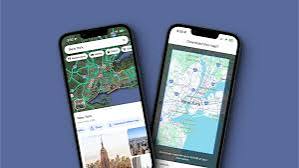
Navigation apps are convenient until mobile coverage disappears, the phone overheats, or a route fails to load. Navigation route problems become far easier to manage when essential maps are available offline before departure. A good backup plan should also include charging options, a general understanding of the route, and enough information to continue safely without constant internet access.
Download Important Route Areas Before Leaving
Offline maps are especially useful when traveling through rural regions, mountains, long highway corridors, or other areas where mobile service may be inconsistent. Download the relevant area while you still have reliable Wi-Fi or cellular access.
Drivers reviewing driving preparation resources may spend plenty of time checking the vehicle but forget that navigation equipment also needs preparation. Open the downloaded map before departure to confirm that the required area is actually available.
Don’t assume a map saved months ago is still ready for the journey. App data, stored regions, and available device space can change.
Carry More Than One Way to Understand the Route
A phone shouldn’t be your only source of direction. Write down major highways, important exits, destination details, and any critical junctions. That small backup becomes useful if the device loses power or develops a software problem.
People using broader automotive planning material may also benefit from checking vehicle charging ports before a long trip. A cable that works poorly at home won’t become more reliable after several hours on the road.
| Navigation Problem | Likely Result | Backup Action |
|---|---|---|
| Lost signal | Route stops updating | Use offline map |
| Low battery | Phone may shut down | Carry charging option |
| Wrong destination | Incorrect routing | Confirm address beforehand |
| App failure | Directions unavailable | Keep route notes |
A paper map can still be useful for broader orientation, particularly when several towns or highways are involved.
Confirm Routes Instead of Following Them Blindly
Navigation software can suggest roads that are technically connected but unsuitable for a particular vehicle or current conditions. Before following an unfamiliar detour, consider road signs, closures, vehicle restrictions, weather, and the character of the road itself.
Broader online travel reading can help with trip organization, but real-world road signs and official restrictions deserve priority over an app suggestion. If directions appear unsafe or unreasonable, find a safe place to stop and review the route instead of making a rushed decision.
Enter the destination before moving. Typing, zooming, or rebuilding a route while driving creates unnecessary distraction.
Navigation Habits That Create More Problems
Blindly trusting every instruction is one of the biggest navigation mistakes. Apps can contain outdated information, temporary errors, or routes that don’t fit current circumstances.
Another mistake is waiting until the signal disappears before thinking about offline access. Downloading maps, checking power, and identifying major roads takes only a few minutes before departure. Doing those tasks after becoming lost is much harder, especially when there is nowhere safe to stop.
Frequently Asked Questions
Do offline maps work without mobile data?
Downloaded map areas can provide useful navigation features without an active data connection, although specific capabilities depend on the application. Download and test the required region before leaving.
Should I use more than one navigation app?
A second app can provide another option if your main application fails, but it shouldn’t replace basic route awareness. Knowing major roads and the destination area remains useful.
What should I do if navigation sends me toward a closed road?
Follow posted road closures and official traffic controls rather than the original app route. Stop somewhere safe before searching for an alternate route or adjusting navigation settings.
Keep Navigation From Becoming a Single Point of Failure
Reliable travel shouldn’t depend on one phone maintaining perfect signal for the entire journey. Download maps, confirm the destination, carry charging equipment, and learn the major parts of the route before departure. With those backups in place, losing mobile service becomes an inconvenience rather than a reason to become stranded or make rushed driving decisions.